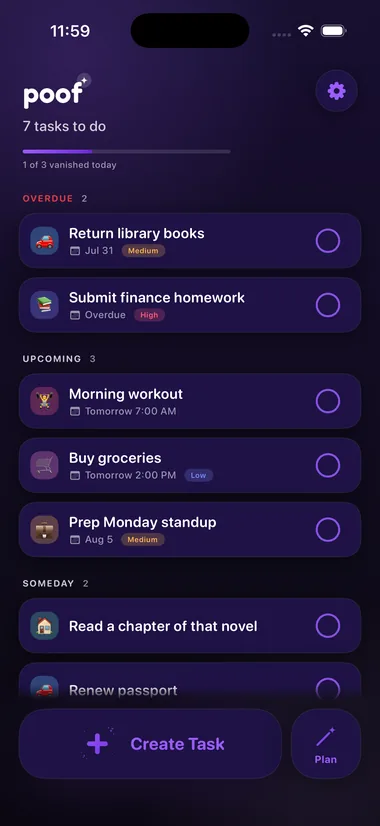
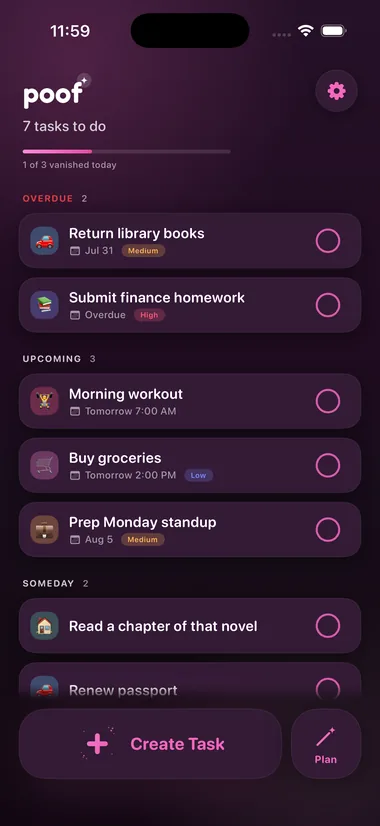
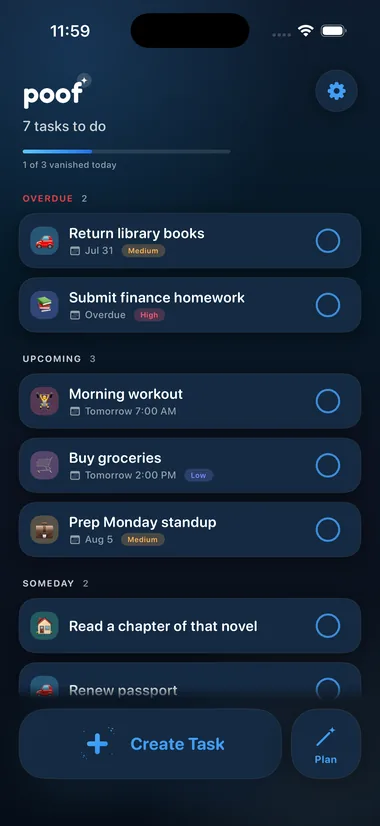
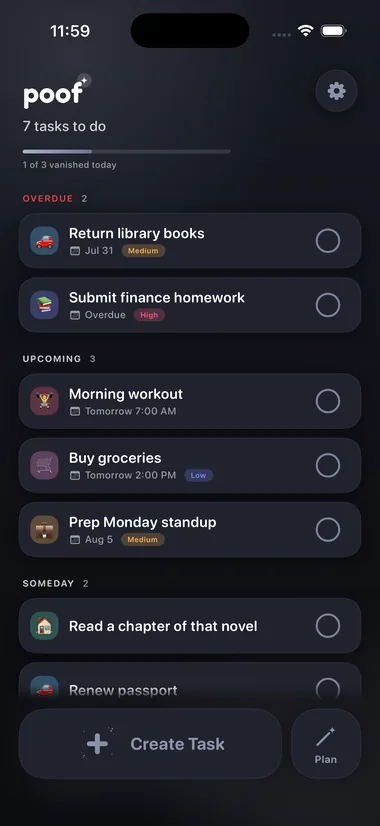
✦ The To-Do App With a Little Magic

Do. Done.
Gone.

Get it done, then watch it vanish. Add your tasks, plan your day in one tap, and watch everything disappear.

✦ Experience the Magic In
It's out.
Free No account, ever Your tasks stay on your phone
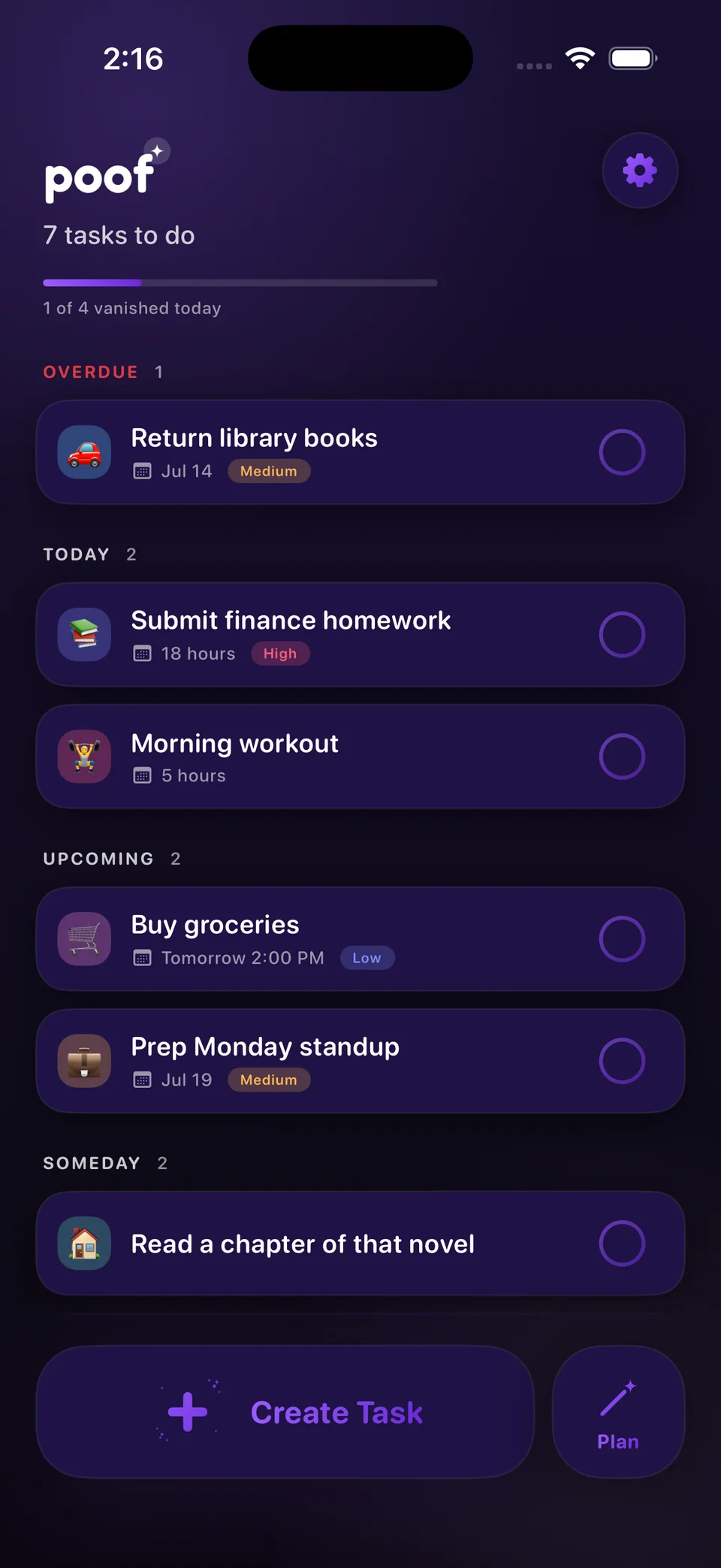
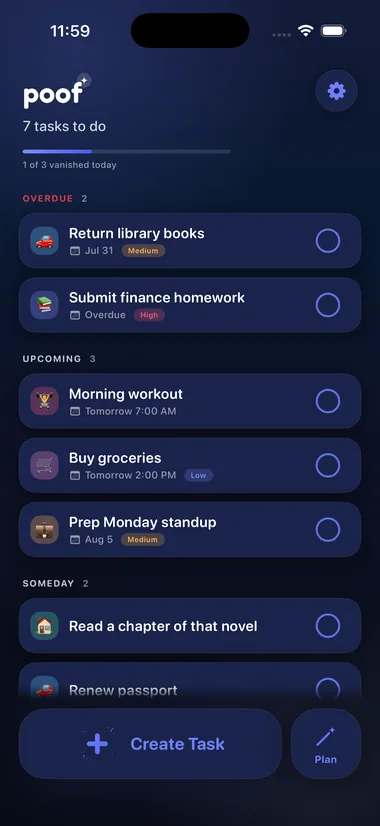
Poof app home screen in dark mode showing tasks grouped by Overdue, Upcoming and Someday
✦ The Poof Moment

Get It Done.
Watch It Vanish.

Swipe or tap to complete and your task vanishes with a satisfying animation. Pick your favorite, and remember Undo is always one tap away.

✨ Poof 💨 Smoke 🌟 Stardust 🎉 Confetti ◎ Ripple
  • Five finishers, your choice. Classic poof, soft smoke, rising stardust, a confetti fountain, or a calm ripple.
  • Progress you can feel. A magic bar fills up with everything you've made vanish today.
  • Always forgiving. Undo any poof, or bring anything back from history.
  • 📞Call the dentist
  • 🛒Buy groceries
  • 🏃Morning run
✦ Quick Add ✦ Magic Intent

Write It Like You'd Say It.

Type Less. Poof Gets It.

Type “Gym tomorrow 6pm for 45 min” and Poof will understand the date, time, duration and category. Then simply click apply to have Poof fill in the details for you.

Type “hw tmr at 11” and Poof reads it as Homework, filed under School, due tomorrow at 11 AM. It expands your shorthand, picks the category, estimates how long things usually take, and knows “tonight at 11” means 11 PM. Every guess shows up as a chip — tap one off if it’s wrong, then apply.

🔤

Expand Shorthand

“hw tmr” becomes homework, tomorrow. Ninety-odd everyday abbreviations, expanded as you type.

🗂️

Smart Categories

“Buy milk” files itself under Groceries, “workout” under Fitness. A #tag you type always wins.

⏱️

Estimate Time

Poof suggests how long things usually take, shown as “~45 min” so a guess never looks like something you typed.

🌙

Smart AM/PM

“Tonight at 11” is 11 PM and “this morning at 11” is 11 AM. Type “5am” and 5 AM it is.

512 patterns and counting. Each behavior has its own switch in Settings → Magic Intent.

Magic Planner Done
3 tasks lined up
1h 40m of work · done by 7:20 PM
Your plan
5:2025 min
📚 Return library books OverdueMedium
☕ 10 min break
5:5545 min
📘 Submit finance homework Due todayHigh
☕ 10 min break
6:5030 min
🏋️ Morning workout Due today
Magic Planner

Your Day,
Planned Like Magic.

One tap turns your list into a real schedule: overdue first, deadlines next, quick wins up front for momentum, and breaks built in. Wave the wand and watch your day arrange itself.

  • First things first. Every task explains why it’s there: Overdue, High priority, Quick win. Due dates are never touched.
  • Respects your time. Set a day-end limit; whatever doesn’t fit is separated, but never hidden.
  • Your day is your day. Drag to reorder, remove what doesn’t fit, add anything back in, or move the breaks. The plan works around you, never the other way around.
✦ Widgets

Poof It Right From
the Home Screen.

Your next tasks, on the Home Screen, in small or medium. Tap a task’s ring and it’s poofed — no need to open the app. Change your mind? You have three seconds: the row dims, strikes through and says tap to undo.

  • Tap to poof, tap to undo. Nothing is written until the three seconds are up. Tap again and it’s as if nothing happened.
  • Your order, your look. The widget follows your Sort By setting, and each one can match the app or wear its own theme, light or dark.
  • At home on any Home Screen. Tinted and monochrome Home Screens get a Poof that still reads clearly, spark and all.
Poof3 today
Submit finance homework5:30 PM
Buy groceriestap to undo
Evening workout7:00 PM
Poof2 today
Call the dentist2:00 PM
Reply to Sam4:30 PM
Water the plantsTomorrow

The Up Next widget · small and medium

✦ Poof-o-ween · Until Nov 2

Getting Things Done
Doesn’t Have to Be Scary.

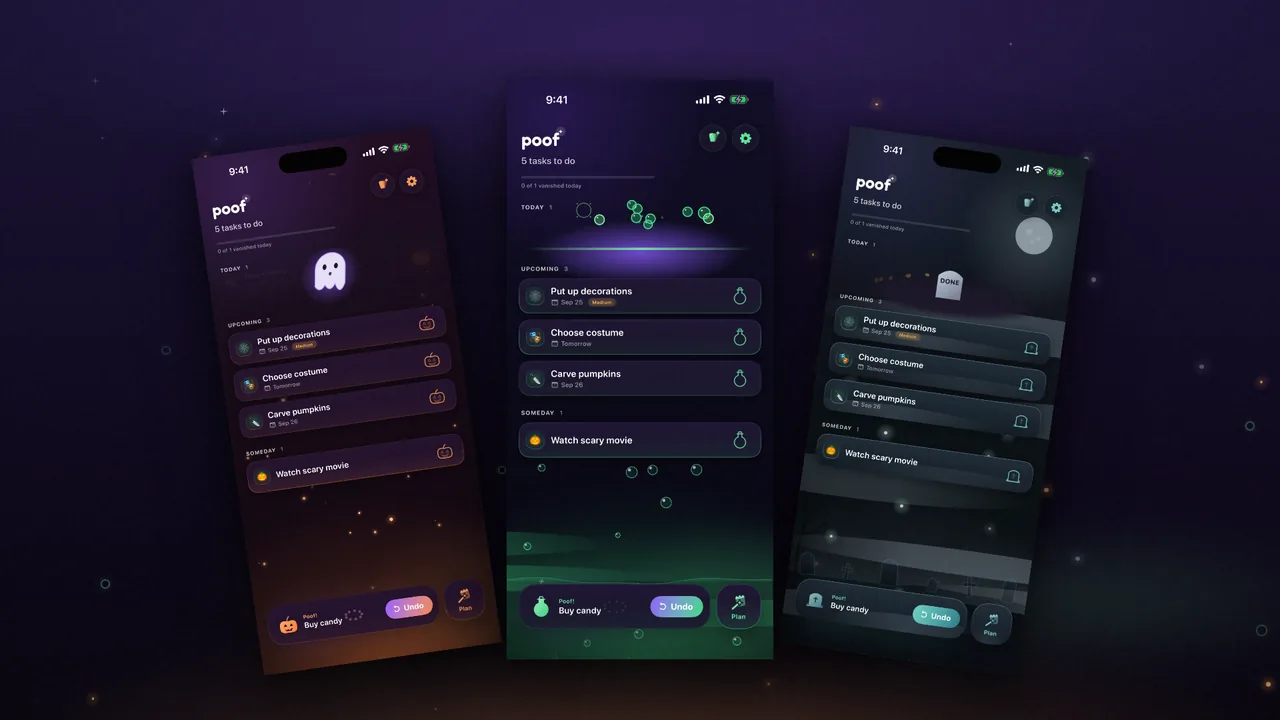
Poof-o-ween is Poof’s first seasonal pack: three new looks, three app icons and three new ways for a task to vanish — into a bubbling cauldron, off as a ghost, or under a headstone. There’s nothing to buy. You earn it by using Poof.

  • Five stops, any order. Poof a task, undo one, make a Magic Plan, try a new theme, poof five. Every stop hands you part of the pack.
  • Yours to keep. Whatever you reach stays yours after the season ends — on a new phone, or after deleting and reinstalling.
  • A ghost on your Home Screen. For October, Poof’s own icon has a ghost in it, too.
Poof in its three Halloween looks, each finishing a task: a ghost lifting off Pumpkin Glow, a cauldron bubbling on Witching Hour, a headstone rising on Graveyard Fog
Pumpkin Glow · Witching Hour · Graveyard Fog
✦ Make It Yours

One App. Seven Moods.

Your Look, in One Place.

Choose a theme that fits your magic. Each look uniquely changes the feel of Poof, to make completing tasks that much more satisfying.

Pick a theme, an app icon and the way your tasks vanish — all from one Customize screen, opened from the top of your list, with a live preview of each. Every theme has a matching light and dark flavor.

Poof in the Moonlight theme — cool periwinkle night
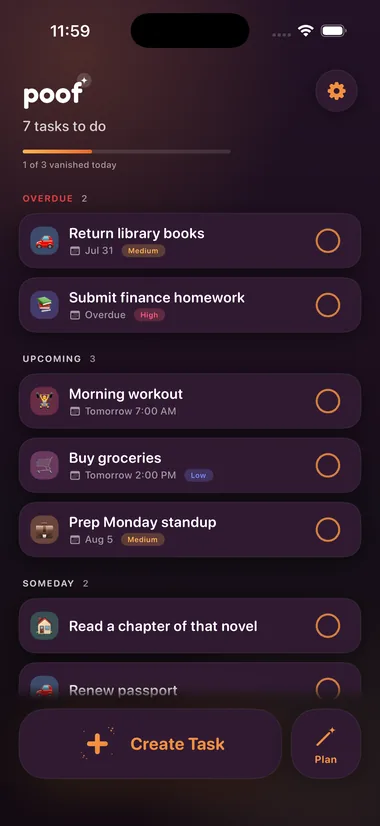
Poof in the Dusk theme — golden hour amber
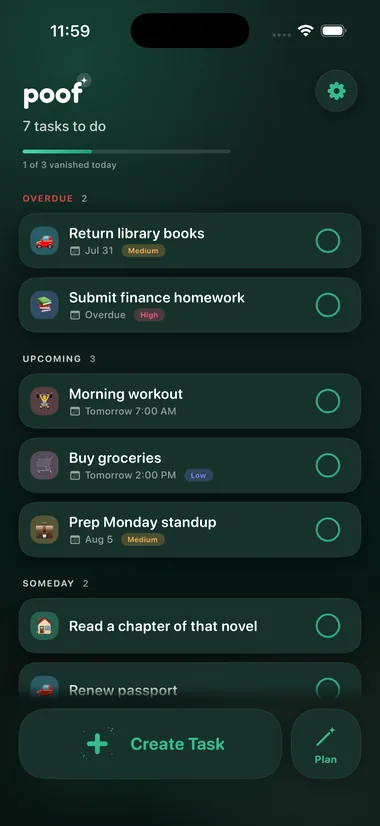
Poof in the Meadow theme — fresh jade calm
Poof in the Aurora theme — the classic poof purple
Poof in the Bloom theme — playful pink pop
Poof in the Tide theme — deep ocean blue
Poof in the Graphite theme — quiet monochrome focus

Aurora

Hover a color to preview it. Click to keep it. Tap a color to try each theme on.

🎨

Seven Themes

Aurora, Moonlight, Dusk, Meadow, Bloom, Tide and Graphite, each with matching light and dark looks.

😄

Emoji Icons

Give any task its own emoji, or let the category icon do the talking. Your list, your vibe.

📏

Compact Cards

A denser layout that fits more on screen. More space, same magic.

🪄

One Customize Screen

See your own list in a new theme, your icon on a Home Screen, and your poof as it plays — before you keep any of them.

✨

Pick Your Poof

Choose how finished tasks vanish, from a soft Poof to Stardust to Confetti. Seasons bring new ones to earn.

↕️

Sort By

Smart, Due Date, Date Added or Time Estimate — quickest first, for momentum. The widget follows it too.

Your Tasks Never Leave Your Phone.

No account. No server. No tracking. Your tasks stay in your pocket. For maximum privacy, turn on auto-delete and finished tasks disappear for good.

0servers
0accounts
0trackers
✦ FAQ

Quick Answers.

How much does Poof cost?

Nothing. No ads, no subscriptions, no account. Everything you need to plan and finish your day will always be free — if optional extras ever show up, they'll be cosmetic and entirely up to you.

Is my data private?

Your tasks are yours and yours only. Nothing you write ever leaves your phone — no account, no server of ours, no tracking. The privacy policy spells out the one small thing Poof does keep in your own iCloud.

Can I use Poof on more than one device?

You can install it anywhere, but each device keeps its own list — Poof doesn't sync tasks between devices yet. Syncing is planned for a future update, and the privacy policy will be updated before it ships.

Do I need an account?

Nope. Open the app and make your tasks disappear. It's that simple.

What happens when I finish a task?

It vanishes in a puff of magic. Finished tasks wait in your history, so you can bring any of them back, or set them to disappear on their own.

What makes the Magic Planner magic?

One tap turns your list into a real schedule: overdue first, deadlines next, quick wins for momentum, and breaks built in. Every pick shows its reasoning, and you can reshape any of it.

When can I get Poof?

Poof 1.0 is approved and arrives on the App Store on Monday, August 24, 2026.

Is Poof getting new features?

Yes. New features are in development, along with regular bug fixes and polish. Every change is listed on the release notes page.

The Poof app icon

Make Today's Tasks Disappear.

✦ Experience the Magic In

Poof is coming to the App Store on Monday, August 24th, 2026.

It's out.

Poof is live on the App Store — free, private, and a little bit magic.

Follow for launch day